Saturday, October 20, 2018

What is a Heurist Database? [Using a Heurist Database Part 1]

Earlier this year, before I decided to give up finding a digital solution to my note-taking problem (after trying many things, like a personal wiki and scrivener), I also found this really promising ~thing~ called Heurist. I tried it for a day or so, but was overwhelmed and confused by it (despite great and super quick response to the one email I sent the Heurist folks!) and, since I was without my ADHD meds at the time (and thus was not capable of thinking very well for any extended period of time), I just gave up, and switched to notecards.

Now that I'm back on my meds consistantly again, earlier this month I suddenly got the urge to give this program another try, and I am SO glad I did!
I tweeted the above this morning and it made me realize that I haven't posted about my current database project over here yet! So, I'm going to try to explain what I'm doing and how I'm doing it.

It's been a bunch of trial and error, and my Dr. Computer Scientist boyfriend helped me a little but I've finally gotten the hang of the program (I think?) and so I want to share how great it can be, along with some tips for how to set it up, in case anyone else is googling desperately to find a little guidance on this like I was. I still have a LOT to learn about this program's capabilities, but at least I'm feeling confident enough about the basics to share!

So, Heurist is a free data management system that researchers can use to manage, analyze & present their data, based out of the University of Sydney.


I am currently using it to keep track of all the utopian/intentional communities in the US (and some outside of it) before WWI, as well as all the people I can find involved in these experiments and the utopian/etc community in general.

Before this I had been working within a personal research wiki, but I felt the need to write coherently in full sentences on each page if I added anything, which slowed down my research and threw me out of my "groove" while I was researching.

A thing I like about the Heurist system is that I have been able to add a lot of fields where I can just plug in the info/ copy/paste a quote and the citation and then keep going. It helps me stay in the flow when I'm working, which is really important for me. I can go and turn them into proper sentences/writing later.


Heurist also allows me to link various records together with specified relationships, including those that have inverse relationships.


I really like that I don't have to constantly be compiling lists of, say, every Fourierist community, because it happens automatically as I create pages for each community. 

Right now I have the following record types (some came with the program and I don't need/know how to get rid of, like for the "digital media items"


I mostly use the record types:
  • Person
  • Community
  • Organization
  • Philosophy(/Religion)
  • Historic Publications
  • Utopian Works
  • Misc/Other
Each record type has it's own template, thought it's rather hard to get a good screencap of, but here are just basic examples of the different templates for Person, Community, Philosophy and Historic Publication as of today:


Every template is definitely a work in progress. I make tweaks and changes to them every day in order to record more information or to be easier to navigate/add info to, etc.

I will make more posts in the future about different aspects of this program as I figure it all out. I'm finding it to be a really, really great for my current project!

Friday, August 31, 2018

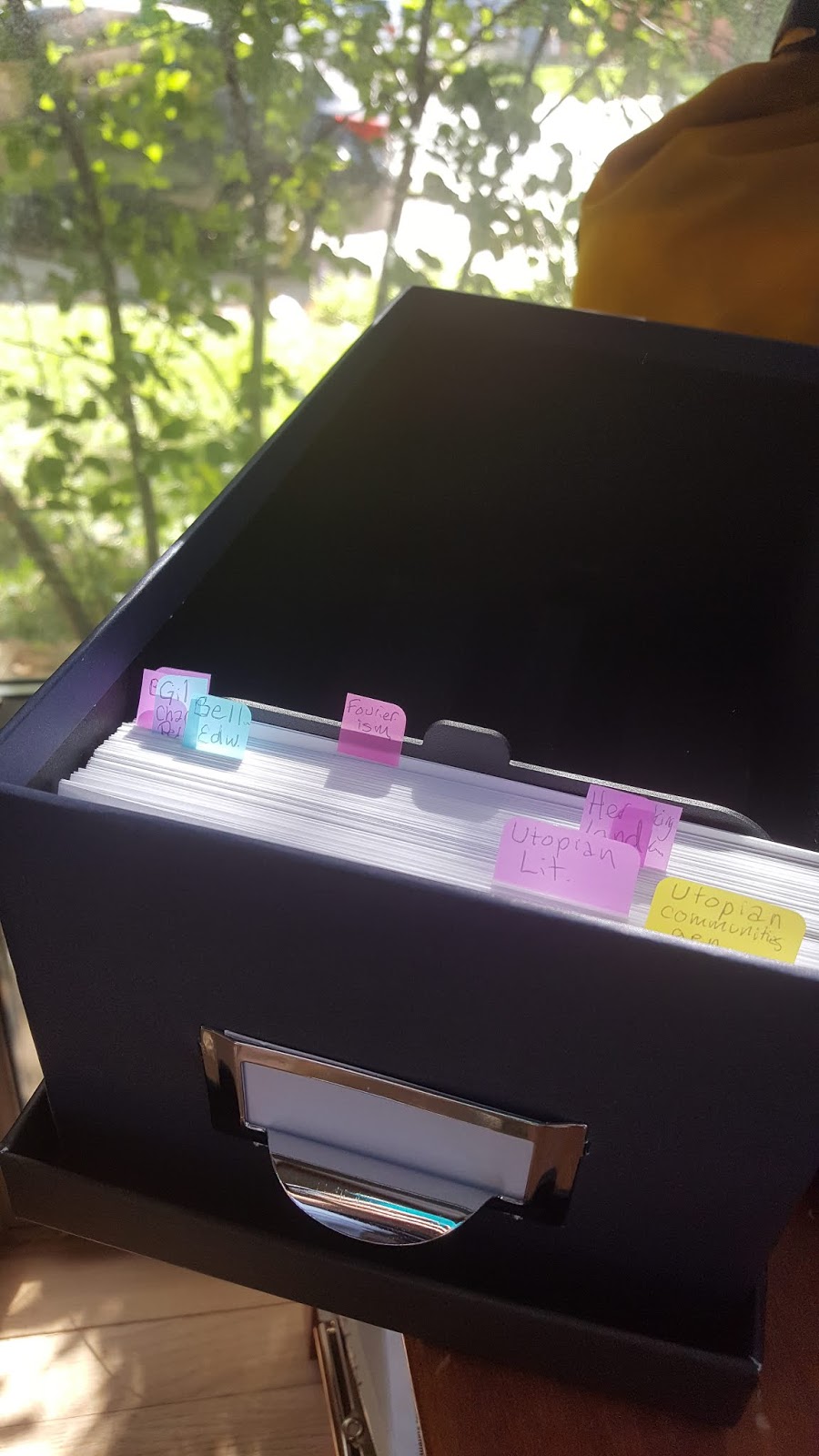
Index Card Note-taking System- now with PRINTING!!

A few months ago I was super gung-ho with my new note taking system, but as I have yet vanquished my bad habit of taking far too many notes, and since my hypermobility means that writing is painful for me, I started to burn out.

"If only I could just print out these notes," I thought! Well, since my printer didn't accept note cards, I figured I'd just print out the text (which would save time since I could copy/paste!) and glue them to the note cards, which for some reason I still wrote the topic & citation (number) on.


It worked for a while, until I started getting lazy, and instead of printing and cutting/pasting every time i got a page or two worth of quotes, I started pushing it back further and further...

And now, well, 5 months and 2 moves later, I have a ton of empty-but-cited note cards and only somehow two of the printouts I had made left.

SIGH.

I am full of regret.

But! Now I'm staying with my boyfriend, and his printer CAN print on note cards.

4x6 at the smallest, which complicates things, as all the hundreds of cards that I already have done are 3x5... but what can you do?

(Weep, is the answer.)

Anyway, over the last week I've been figuring out how best to do this new set of note cards, and as of now, I've come up with this.


Subject (in the header)-> More specific subject* 
The quote/thoughts/notes. 
Chicago-style ciation (in the footer)

*(handwritten bc headers have to be the same and I don't want to start a billion new documents)

Now, I know ideally you should only have one fact (or quote) per note card, and many of mine probably have too much info on them, but as of now, I'm just going with it. Hopefully as I continue, I'll get used to paring my chunks of copy/paste down and be better at distilling to the very essence of the facts I want to remember. For now, though, this is fine with me. I'll update as my system evolves!


Thursday, August 30, 2018

The Great Courses: Great Utopian and Dystopian Works of Literature

I've just finished The Great Courses: Great Utopian and Dystopian Works of Literature, with Professor Pamela Bedore, PhD, and I highly recommend it!


While my focus isn't on utopian literature, I do think it's important to understand the utopian lit in circulation before and during the projects I am studying (up until ~1920), for context. So the first 8 of these lessons were  relevant, particularly the ones that discussed Brook Farm & the Fruitlands, and my gal Charlotte Perkins Gilman. I took my first notes with my new printing-to-bigger-notecards system on the lectures, as well.


I did, of course, listen to the whole lecture series, too, and it was absolutely fastinating. And, honestly, I don't think my TBR (To Be Read list) will recover from the new To-Read book list for some time!

I personally bought this course off Audible, but I don't necessarily recommend them, only because they're owned by Amazon, and Bezos sucks. But, if you already have credits over there, I do think this is a great way to spend one-- MUCH cheaper than the price at The Great Course website. Many libraries carry Great Courses lectures as well, so that is also worth checking out, if you're interested!

5/5 stars, I do recommend checking this out! :)

Friday, August 17, 2018

Summer's over! Time to get back to research!

Now that my son is headed back to school, I have time once again to get back into my research! I moved at the beginning of summer, and I'm about to move again, so I'm reconfiguring my research set up and habits again.

This spring, I wrote out a LOT of note cards. I stopped because my EDS/HSD (a connective tissue condition) means that all the writing is killer on my hands, especially my index fingers, as the pressure from gripping the pen makes the joint hyperextend excessively. 

I tried the PenAgain, which a lot of fellow EDSers use, and was super pleased at first, but after just a couple weeks I realized that:

  1. They run out of ink SO QUICKLY
  2. It's better than regular pens, but still makes my fingers/hands cramp
  3. I take way too many notes (but i'm also probably not going to stop)
  4. Sometimes I just really NEED to have multiple copies of the same card to put in different places in my organizational system, but neither my fingers nor my attention span play nicely with that need. 

So, what I really think I need, is a way to print out note cards.

A LOT of them. 

So this morning I've been trying to figure out how I can do just that. 

Articles like this one taught me that, hey! Sometimes regular printers can print on note cards! Including mine! HOORAY!

But, then it says how to print out of Word, which I do not have a functioning copy of. So, after looking up some free word processing software options, I downloaded WPS Office. It does have a page layout template for notecards, but then I realized it doesn't have a citation plugin for my reference manager, Mendeley. So then I downloaded LibreOffice, which is Mendeley compatible... but then I couldn't figure out how to format it to index card size! So, back to WPS Writer I went.

Oh, and somewhere in there I downloaded Zotero and started trying that out, too, since Mendeley wasn't giving me any good options of how to cite The Great Courses lecture I'm currently listening to. Maybe my next post will be about how I manage to get this system working!